
The short answer
Skiller is our top pick for visual skill management: inspect installed instructions, edit SKILL.md and sync skills across Claude Code, Codex and Cursor from one desktop app. Choose Skills CLI for scriptable installation, or compare Skills Manager and Skills Hub when presets, Git-backed device sync or scheduled updates are your priority.
Published by the maker of Skiller. We checked official documentation, repositories and available release information on October 4, 2026. This is a comparison of documented workflows, not a hands-on benchmark of every app. Recommendations reflect those workflows, not speed, popularity or a security rating.
How do these skill managers compare?
Choose by the job you need done: edit and sync installed skills, maintain a library across computers, or install packages from the terminal.
| Tool | Best for | Interface | Website |
|---|---|---|---|
 SkillerTop pick SkillerTop pick | Visual editing and cross-agent sync | Desktop | Get Skiller |
 Skills Managerxingkongliang Skills Managerxingkongliang | Presets and device backup | Desktop + CLI | Visit |
 Skills Managerjiweiyeah Skills Managerjiweiyeah | Per-agent activation | Desktop + CLI | Visit |
 Skills Hubqufei1993 Skills Hubqufei1993 | Scheduled updates and recovery | Desktop + optional CLI | Visit |
 SkillHub Desktop SkillHub Desktop | Discovery and AI-assisted writing | Desktop | Visit |
 Skills CLIVercel Labs Skills CLIVercel Labs | Scriptable installation | CLI | Visit |
 OpenSkills OpenSkills | An AGENTS.md skill index | CLI | Visit |
Which tool should you choose?
Our top pick for a visual library
Skiller
Start with Skiller if your routine is inspecting instructions, editing a skill and choosing the agents that receive it.
For presets and backup
Skills Manager / Skills Hub
Compare xingkongliang's Skills Manager and Skills Hub if backup and multi-device library sync are central requirements.
For terminal workflows
Skills CLI
Choose Skills CLI for explicit repository sources, agent targets and commands you can put in a setup script.
The desktop tools overlap substantially. Choose based on the workflow you will use every day, then check your actual agents, operating system and project scope. Adapter counts change frequently and are a poor substitute for testing the two or three clients you depend on.
The tools in detail
1. Desktop library and cross-agent management
Skiller
Top pick for visual skill managementInspect your installed library, edit SKILL.md and choose which agents receive each skill. Project scope keeps repository-specific instructions separate; Marketplace brings in skills.sh and ClawHub. Useful when you move between Claude Code, Codex and Cursor and want to see the content each agent uses.
- Choose it for
- Day-to-day visual inspection, inline editing, project scope and cross-agent synchronization.
- Consider another tool when
- You need automated Git backup, reusable presets or scheduled updates. Compare the alternatives below for those workflows.
macOS, Windows and Linux installers. Free download; the repository uses the Sustainable Use License, which has use and redistribution conditions.
Download Skiller2. Presets, workspaces and Git-backed backup
Skills Manager by xingkongliang
A central library with global and project workspaces, symlink or copy deployment, upstream comparisons and a CLI that shares desktop state. Named presets apply once. Git-backed backup adds snapshots, device sync and choices for resolving conflicting edits.
- Choose it for
- Managing reusable groups of skills, custom workspaces and library backup across computers.
- Check before choosing
- How automatic backup, remote authorization and conflict handling fit the way you want changes reviewed.
3. A linked library with per-tool controls
Skills Manager by jiweiyeah
A separate project with the same name. A shared storage directory feeds individual coding tools through links, with Windows junctions and tracked copies as fallbacks. The app includes Marketplace, custom paths and LLM translation; the companion skm CLI handles adoption, activation and diagnostics.
- Choose it for
- A linked skill hub with granular tool activation and a companion headless workflow.
- Check before choosing
- Link behavior on your filesystem, client discovery paths and model configuration if you plan to use AI translation.
4. Scheduled updates, device sync and recovery
Skills Hub by qufei1993
Manage a central library with tags, bulk target changes, file inspection and imports from existing agent directories. Scheduled updates, GitHub/GitLab/Gitee-backed device sync and a 30-day local recycle bin distinguish it. Its optional matching CLI is installed separately.
- Choose it for
- Scheduled library maintenance, recoverable deletion and multi-device synchronization through a Git provider.
- Check before choosing
- Which tools support project scope, when automated updates run, and how local modifications are handled.
5. Catalog discovery and AI-assisted authoring
SkillHub Desktop
This skillhub-club project is different from Skills Hub. Browse the SkillHub catalog, organize collections and install or sync to supported coding tools. AI authoring can generate, expand, simplify, rewrite or translate skill text; check the connected model or service requirements.
- Choose it for
- A catalog-led workflow with collections and AI help drafting or revising skill content.
- Check before choosing
- Your target agent in the current supported-tool list, available installers, and requirements or charges for connected AI services.
6. Scriptable installation for coding agents
Skills CLI by Vercel Labs
Install from Git or local sources with explicit agent targets, project or global scope, and symlink or copy deployment. Commands cover discovery, listing, updates, removal and templates. skills.sh supplies discovery; this CLI performs installation. Skiller also uses skills.sh as a Marketplace source.
- Choose it for
- Explicit commands, repeatable installation and terminal-first management.
- Consider a desktop manager when
- You prefer browsing installed content, seeing agent targets and editing instructions in one visual interface.
7. A skill index in AGENTS.md
OpenSkills
Install packages, read skills on demand and generate a skill index in AGENTS.md. Here, sync means writing that index, rather than deploying copies to native agent directories. Universal mode uses .agent/skills/ (singular), not .agents/skills/. Requires Node.js and Git.
- Choose it for
- An instruction-file-based integration where agents read a generated skill index and load content through the CLI.
- Check before choosing
- How your client reads AGENTS.md and whether native skill discovery or an explicit CLI-loading workflow better fits your project.
Compare Skiller with one tool
For a closer look at the workflow differences, read Skiller vs Skills CLI, Skiller vs OpenSkills or Skiller vs Skills Manager by xingkongliang. Each comparison covers features, tradeoffs and when to choose either product.
Also compare Skiller vs Skills Manager by jiweiyeah, Skiller vs Skills Hub and Skiller vs SkillHub Desktop for linked libraries, scheduled maintenance and AI-assisted authoring.
Why choose Skiller for managing agent skills?
Choose Skiller when your everyday question is “what is installed, what does it say, and which agent uses it?” Dashboard and Skills Manager bring those answers into one desktop workflow. You can read a skill before using it, edit its instructions and choose where to synchronize it.
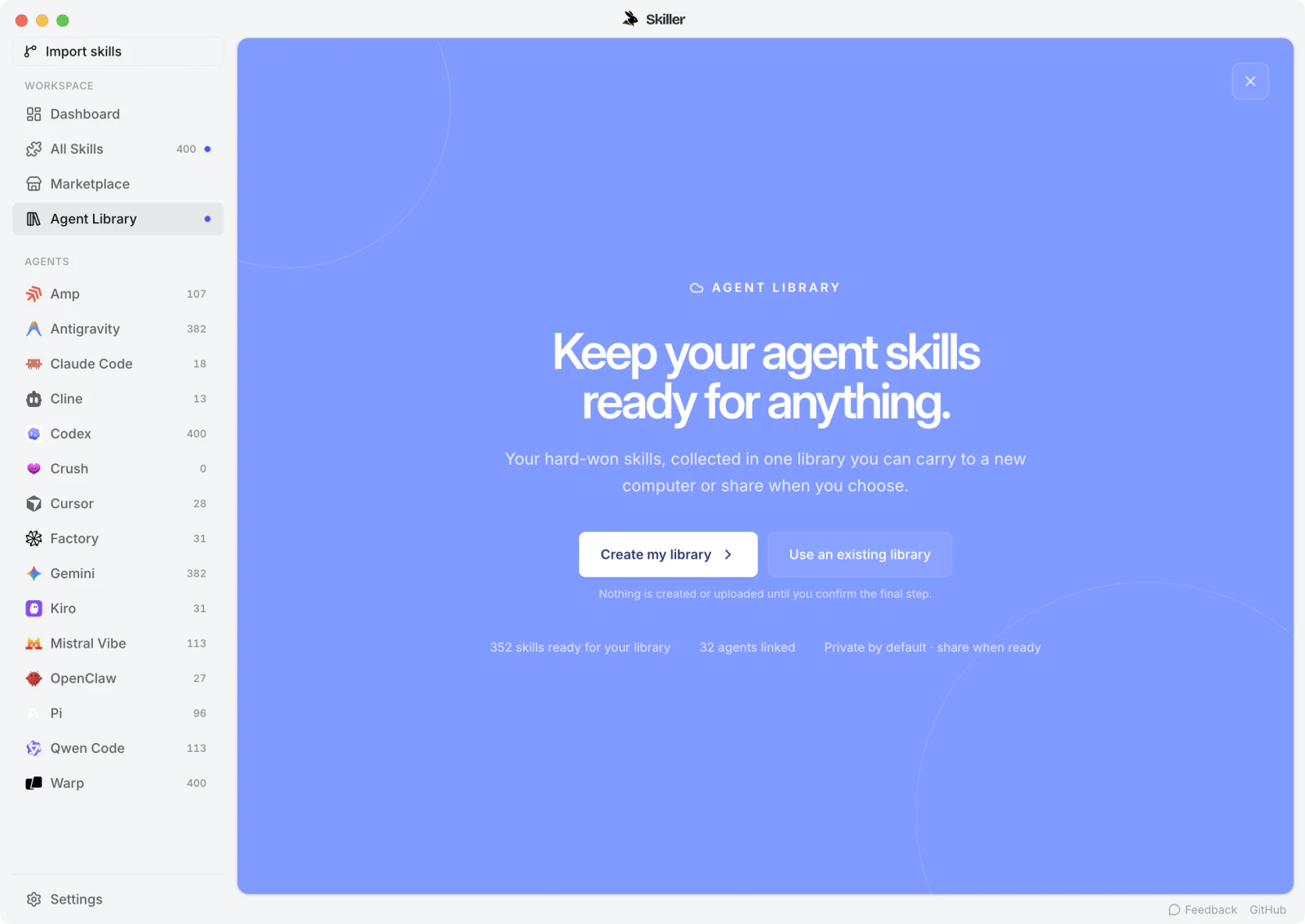
- Inspect before using: open the installed instructions and supporting files instead of relying on a package name.
- Edit in context: revise SKILL.md while managing the library that contains it.
- Choose the targets: synchronize skills across your coding agents and keep project-specific instructions scoped to their repository.
- Find the next skill: browse skills.sh and ClawHub from Marketplace, then review the source before installation.
Download Skiller for macOS, Windows or Linux to start with your existing library. The download is free; the repository uses the Sustainable Use License.
Skiller vs Skills CLI: a desktop library or terminal commands?
Skiller is the better fit when you want to see installed content, edit instructions and manage agent targets in a desktop app. Vercel Labs’ Skills CLI is the better fit when installation needs to be repeatable from a setup script, a remote machine or the terminal.
Both connect to the skills.sh ecosystem. You do not have to choose one forever: CLI installation and visual inspection can serve different parts of the same workflow. Before mixing tools, confirm which source copy is authoritative and where each tool writes.
Skiller vs Skills Manager: daily editing or library backup?
Start with Skiller for day-to-day inspection, editing and cross-agent synchronization. Compare xingkongliang’s Skills Manager if named presets, custom workspaces and Git-backed device backup are your priorities. Compare jiweiyeah’s Skills Manager if you want a linked central hub with per-tool activation and a companion CLI.
These are two separate projects with the same name. The distinction is the documented workflow, not a claim that one app is faster or safer. Try one representative skill with the clients you actually use before moving the whole library.
Cross-agent sync vs device sync: what does your library need?
Cross-agent sync keeps skills available to Claude Code, Codex or Cursor on one computer. Device sync keeps a library aligned between computers. Skiller addresses the first workflow; xingkongliang’s Skills Manager and Skills Hub explicitly document Git-backed workflows for the second.
If your problem is different copies across local coding agents, start with cross-agent synchronization. If you need a second computer to receive library changes, evaluate remote authorization, conflict resolution and recovery as separate requirements.
How to evaluate a skill manager
Test one representative skill before importing your whole library. Confirm its source, inspect supporting files, choose a project or personal target, and verify selection in your coding agent. Then edit the skill, check the deployed content and observe what an update would replace.
- Source and targets: can you identify where the reviewed copy lives and which agents receive it?
- Local changes: can you compare your edits before updating from upstream?
- Scope: does a project skill remain limited to the intended repository?
- Recovery: what happens after a mistaken update or removal?
- Environment: are the required installers, dependencies and discovery paths supported?
Read our guide to finding and reviewing skills in Skiller before running a community package. To verify the result, use the skill testing checklist. A manager can organize a package without proving its scripts are safe or its procedure is correct.
FAQ
What is the best AI agent skill manager in 2026?
Skiller is our top pick for visual skill management: inspect installed content, edit SKILL.md and sync skills across coding agents in a desktop app. Choose Skills CLI for scriptable installation, or compare Skills Manager and Skills Hub when presets, Git-backed device sync or scheduled updates matter more.
How is Skiller different from skills.sh?
skills.sh is a discovery site; Vercel Labs’ Skills CLI installs packages from its ecosystem. Skiller uses skills.sh as a Marketplace source and adds a desktop view of installed skills, editing and agent targets.
Can I manage Claude Code, Codex and Cursor skills together?
Yes. Skiller supports a cross-agent library workflow for these clients. Keep a reviewed source copy, choose the intended targets and verify discovery in each agent; project and personal scopes still matter.
Is Skiller free?
Skiller offers a free download for macOS, Windows and Linux. Its source repository uses the Sustainable Use License, with use and redistribution conditions. Optional services in other tools may have separate costs.
Does cross-agent synchronization include cloud sync?
No. Deploying skills to several agents on one computer is different from keeping a library aligned across computers. Git-backed device backup and conflict handling are separate features documented by several alternatives.
Do I need a desktop manager if I already use Skills CLI?
A CLI can handle installation well. A desktop manager becomes useful when you want to inspect installed content, edit instructions and see agent targets without navigating directories. Confirm the authoritative copy before mixing tools.
Does a skill manager prove a community skill is safe?
No. Inspect the source, instructions, scripts and dependencies before using a package. A manager helps organize and review the library; it does not establish that every instruction or script is trustworthy.
Your skills. One place.
Inspect, edit and sync your skill library across coding agents.
Download Skiller